

Love Horizons · Your stay
User guides
Music
🎶 Enjoying music at Love Horizons
Our connected SYMFONISK speakers turn on automatically when music is sent to them. There is nothing to plug in. You have several options for creating the perfect atmosphere:
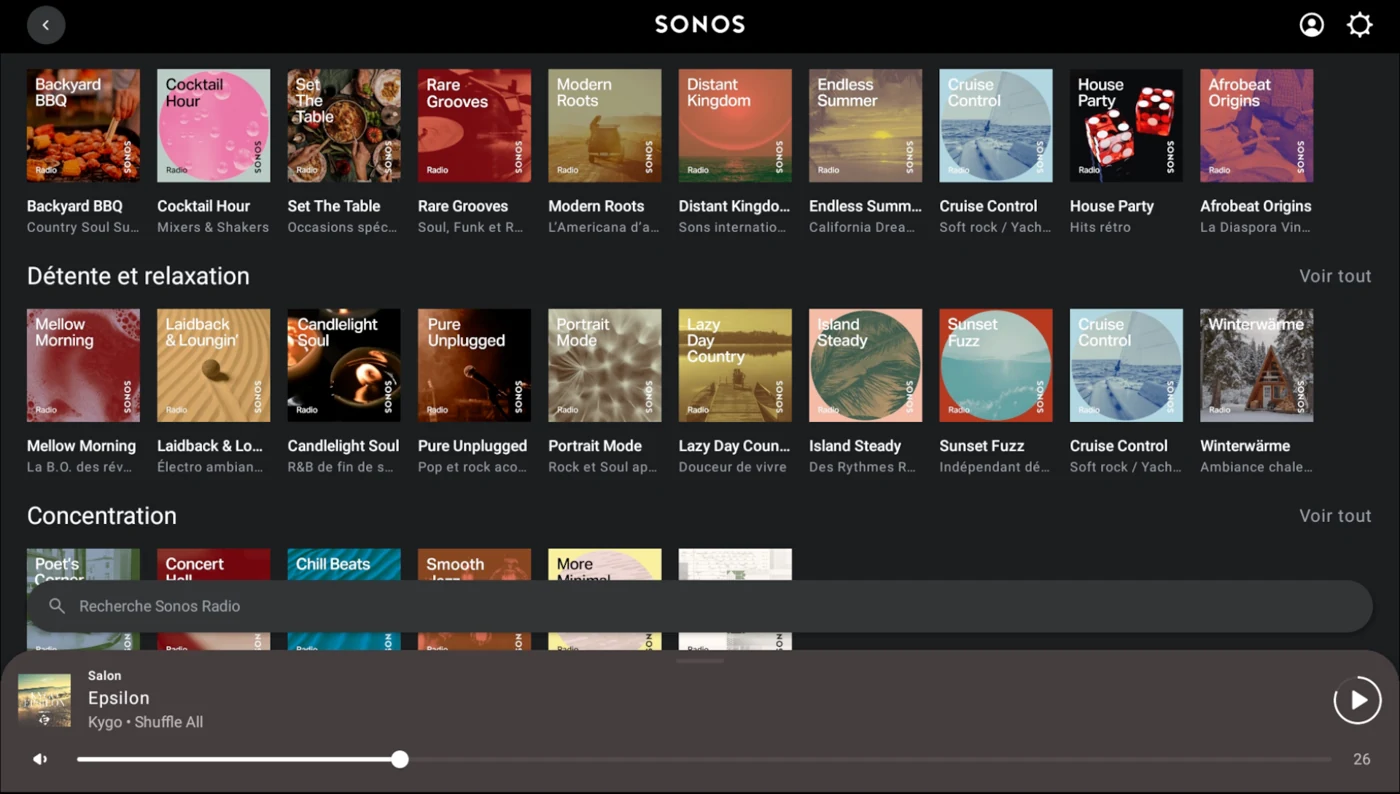
📀 Sonos
Browse playlists and radio stations organised by style directly in the Sonos app. It is an ideal companion for relaxing or sharing more intimate moments.
🎧 Plex
Explore @djeoleman’s private music library, with more than 80,000 hand-picked tracks. In “shuffle all” mode, Plex becomes your own wonderfully eclectic radio station, with something for every taste, from chill to groove.
📻 Radio stations (France Inter, FIP, etc.)
Add your preferred radio station through the Sonos app. Perfect if you would like a little background sound while you unwind.
🎵 Spotify, Apple Music, Deezer, Tidal…
These services also work on the tablet through Sonos. Sign in with your own account in the Sonos app to access your favourite playlists.

📱 AirPlay (iPhone only)
iPhone users can stream directly from any app, such as YouTube or Spotify, using AirPlay, without going through the Sonos app.
🤖 Android users
There is no direct equivalent of AirPlay. However, you can:
• Create a Sonos account on your phone and use the app to stream music.
• Use Spotify Connect or Tidal Connect on your phone.
Lighting
💡 Smart lighting with Philips Hue
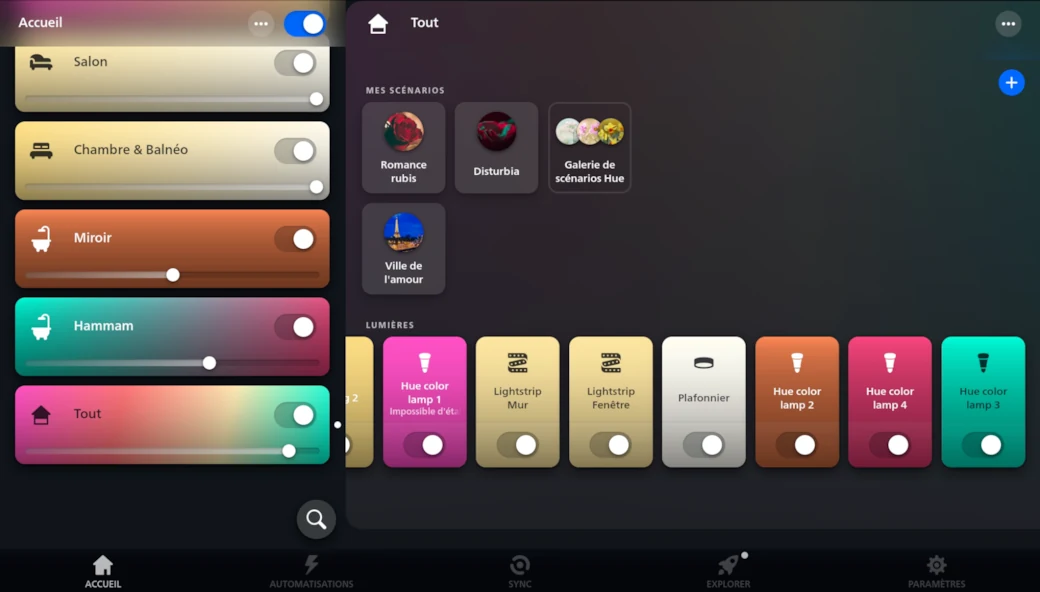
Welcome to a space where the lighting has been carefully choreographed. All lights at Love Horizons are controlled through the Philips Hue app: simple, intuitive and versatile.
📱 Using the Philips Hue app
Simply open the Hue app, which is already installed on the tablet provided. You will find:
- Lights organised by room and zone, such as Salon (lounge), Hammam, Balnéo (whirlpool bath) and Chambre (bedroom)
- The option to control each atmosphere separately or synchronise them
- Preset scenes for romance, relaxation, sensuality and a gentle night-time atmosphere
🔘 The “TOUT” button
At the bottom of the app, the “TOUT” button (meaning “ALL”) lets you:
- Switch all lights on or off with one tap
- Activate dynamic lighting scenes throughout the apartment for a fully coordinated, immersive atmosphere
⚠️ Important
Please do not change the room or zone configuration. If you need help, contact us on +33 6 13 26 20 01.
Television
🎶 Enjoying the television
Three things to remember:
📺 Plex
The television is connected to Plex, a private platform offering a wide selection of films, including adult films, and series.
📱 AirMirror
Mirror your phone screen on the television. Your phone must be connected to the Wi-Fi.
🎛️ Regular television channels
Select the HDMI input to access the SFR box and all television channels.
Hammam
🌫️ Steam generator — Hammam
Relax with the steam generator built into the shower, for a sensory experience comparable to a professional spa.
▶️ Starting the hammam
The generator is simple to start:
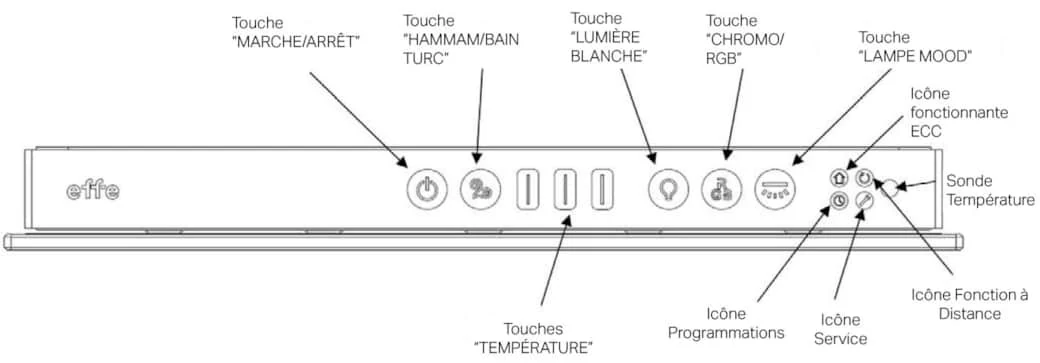
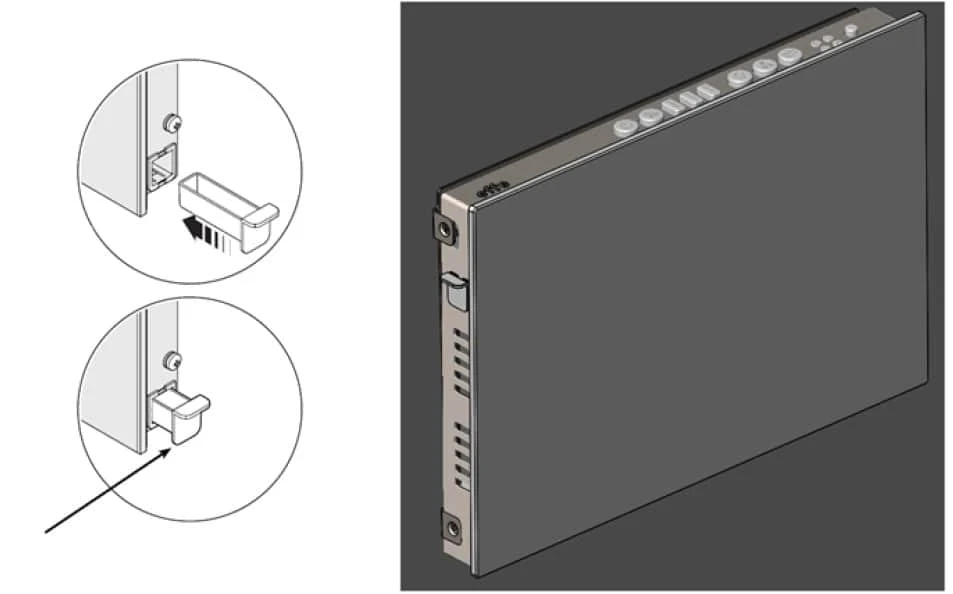
- Press the touch-sensitive ON/OFF button on top of the generator.
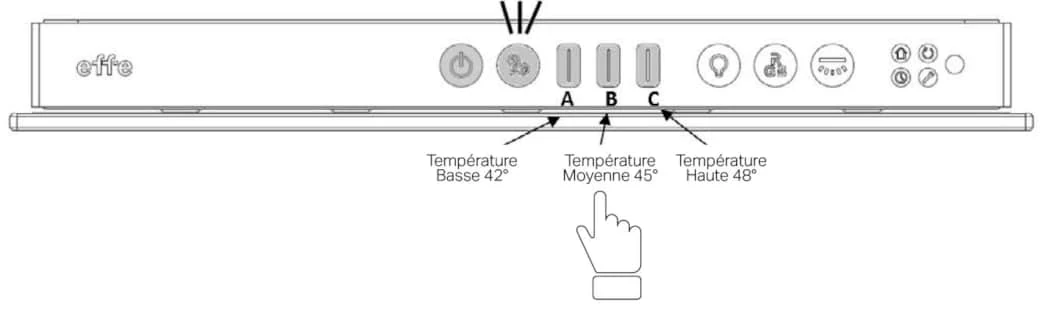
- Then press the Hammam button to start generating steam.
- Allow approximately 5 to 8 minutes for it to warm up.
- Steam will gradually begin to fill the shower enclosure.
- Apart from the “lumières blanches” (white lights) and “chromo” buttons, which light the area beneath the unit, you will not need the other buttons.
- You may add essential oils to the tray on the left-hand side of the generator.
⏱️ Session length
- A standard session lasts 10 to 20 minutes at most.
- Drink water before and after each session, and do not have more than two sessions in the same day.
⚠️ Precautions
- Do not use the hammam under the influence of alcohol or substances that affect alertness.
- Not recommended during pregnancy, or for people with heart conditions, blood-pressure problems or diabetes, unless advised otherwise by a medical professional.
- Do not cover the jets or block the ventilation.
- If you feel unwell or dizzy, leave immediately.
🧼 Hygiene and care
- Please take a quick shower before entering to help keep the steam area clean.
- A towel is provided.
- After use, leave the door slightly ajar to help the space air out.